2.2 Pre-configuration Test Sequence
The default dataspace testbed environment comes with several Postman scripts that can be used to test the basic functions of the testbed service. This section outlines how to execute the preconfiguration Postman test sequence via the various access methods.
Command to run the Postman test
To run the preconfiguration Postman script, you need to run the following command from the testbed directory.
postman-cli collection run TestbedPreconfiguration.postman_collection.jsonYou can do this from an SSH session, via the code-server IDE, or via a DCV connection. The procedure for each method is outlined below:
Running using the code-server IDE
-
Connect to the IDE using the steps outlined in Connect to IDE.
-
From the terminal, you can run the pre-configuration Postman script directly by using the command above:

Running using DCV (client or browser)
-
Connect to your environment via DCV using the steps outlined in Connect to DCV.
-
Open the terminal app.
-
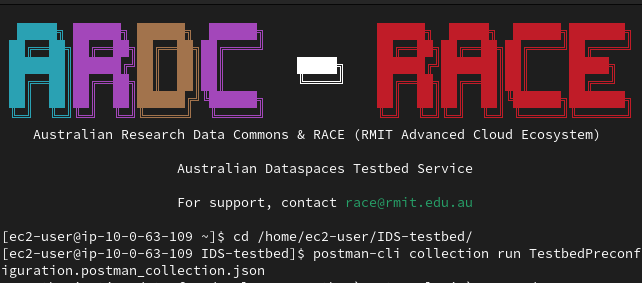
When you open the terminal, it opens in the home directory by default. You will need to move into the working directory by running the following command:
cd /home/ec2-user/IDS-TestbedOnce you are in the working directory, you can run the command above to execute the test.
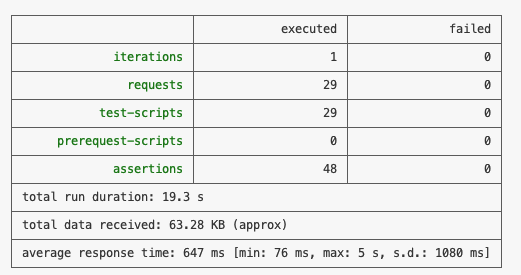
CLI Test Results:
For any of the CLI test methods above, upon completion of the test, you will be presented with a results table like this:
Running with the Postman GUI (via DCV)
- Complete the procedure in Use Postman GUI, and import the file
/home/ec2-user/IDS-Testbed/TestbedPreconfiguration.postman_collection.jsoninto Postman to run the pre-configuration Postman script visually.
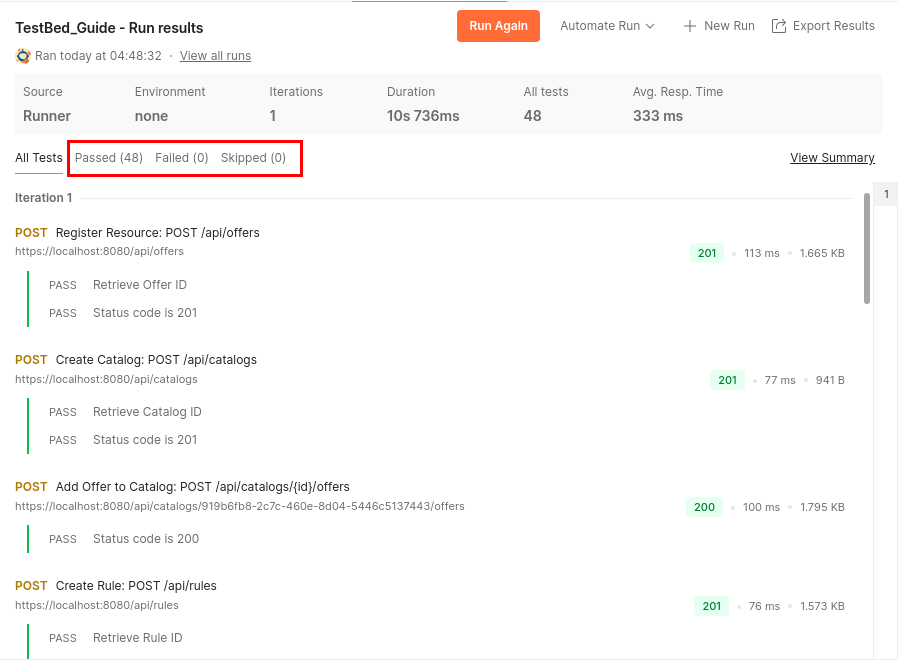
You will be presented with the following results, with a Passed (48) message and no failed or skipped tests: