2.3 Dataspace Test Sequence
How to run the Postman Testsuite Script
Prerequisites:
Please complete the Pre-Config Test Sequence before proceeding to this section.
Running from the CLI (IDE, SSH or DCV Terminal)
You should still be connected to your dataspace following completion of the Pre-configuration Test Sequence
To test different components, you will need to run the corresponding test command for the component you wish to test
How to test the built-in connectors
newman run --folder Connector Testsuite.postman_collection.json -e env/Applicant_IDS_Connector_Test_Configuration.postman_environment.json -kHow to test the built-in Broker component
newman run --folder Broker Testsuite.postman_collection.json -e env/Applicant_IDS_Broker_Test_Configuration.postman_environment.json -kPlease run the following command to move into the Testsuits working directory:
cd /home/ec2-user/IDS-Testbed/TestsuiteThen run the above command to execute the test.
Results
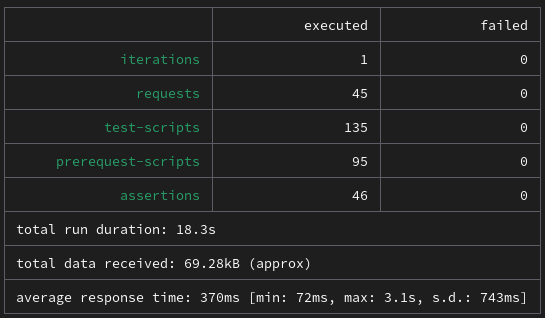
Connector test result
The Connector test should display as follows:
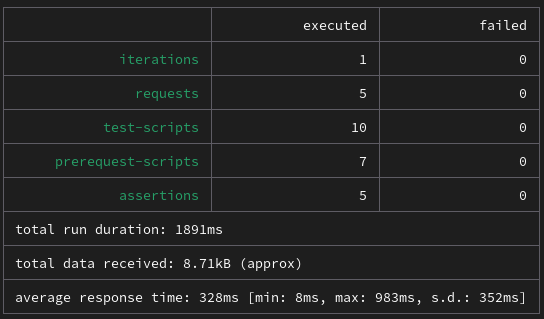
Broker test result
The Broker test should display as follows:
Running using the Postman GUI
Please follow the tutorial in Import Scripts in Postman GUI to import the following scripts:
| Script Path |
|---|
/home/ec2-user/IDS-Testbed/Testsuite/Testsuite.postman_collection.json |
/home/ec2-user/IDS-Testbed/Testsuite/env/Applicant_IDS_Connector_Test_Configuration.postman_environment.json |
/home/ec2-user/IDS-Testbed/Testsuite/env/Applicant_IDS_Broker_Test_Configuration.postman_environment.json |
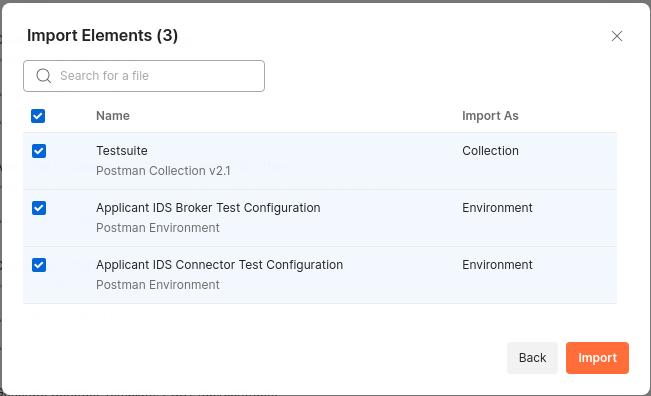
Two of them are environment files, which you will need to select when running the corresponding test.
Run the tests
- Expand the ‘Testsuite’ folder. You will see following sub-folders:
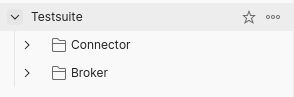
Connector Test
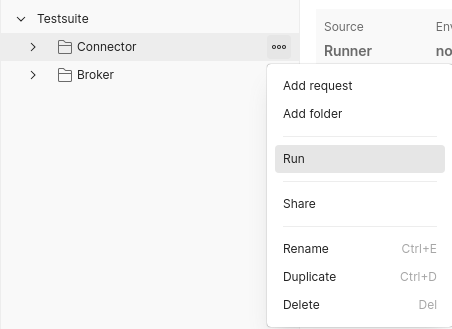
- Hover over Connector test, and select Run
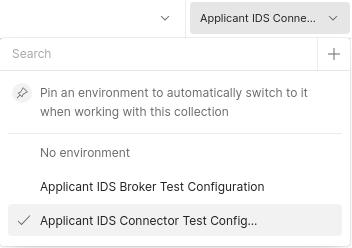
- In the top-right corner, within the environment dropdown list, select
Applicant IDS Connector Test Configuration
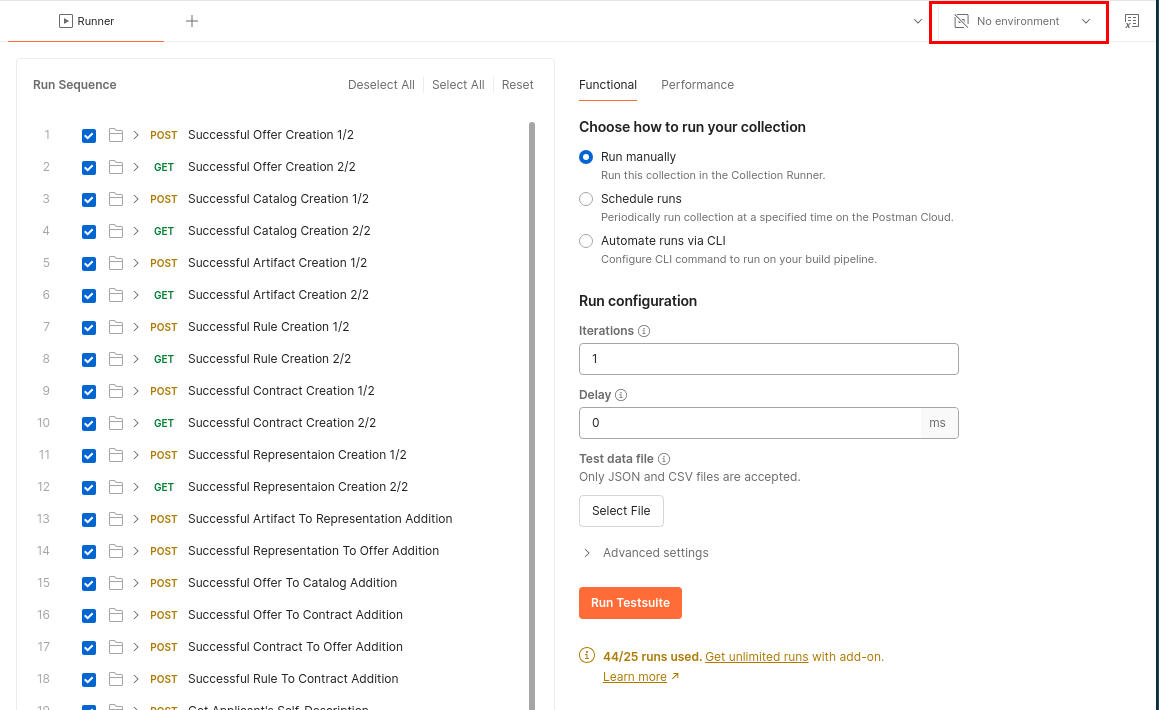

- Select Run Testsuite to start the test.
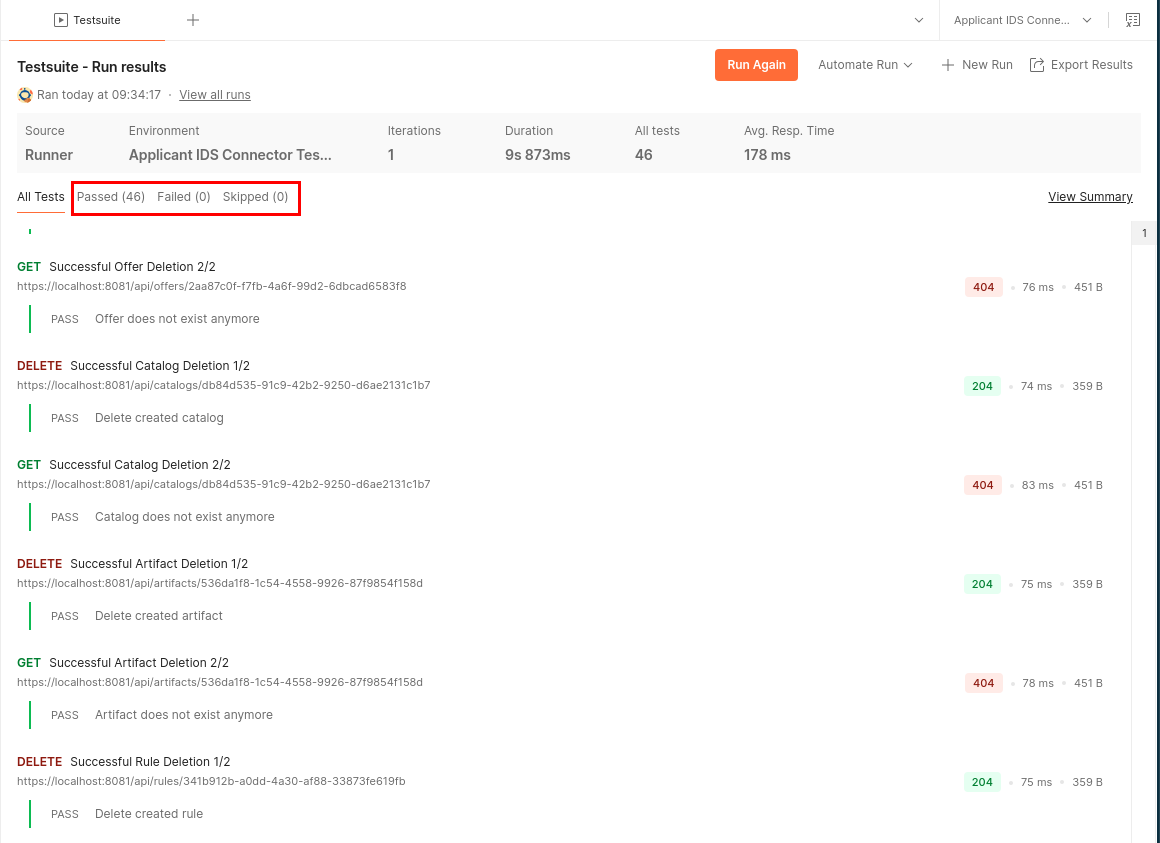
You will be presented with the following results, with Passed (46) and no Failed or Skipped tests.
Broker Test
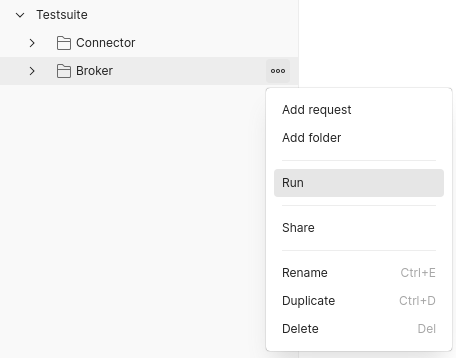
- Hover over the Broker test, and select Run.
- Using the same method as before, change the environment this time to
Applicant IDS Broker Test Configuration.
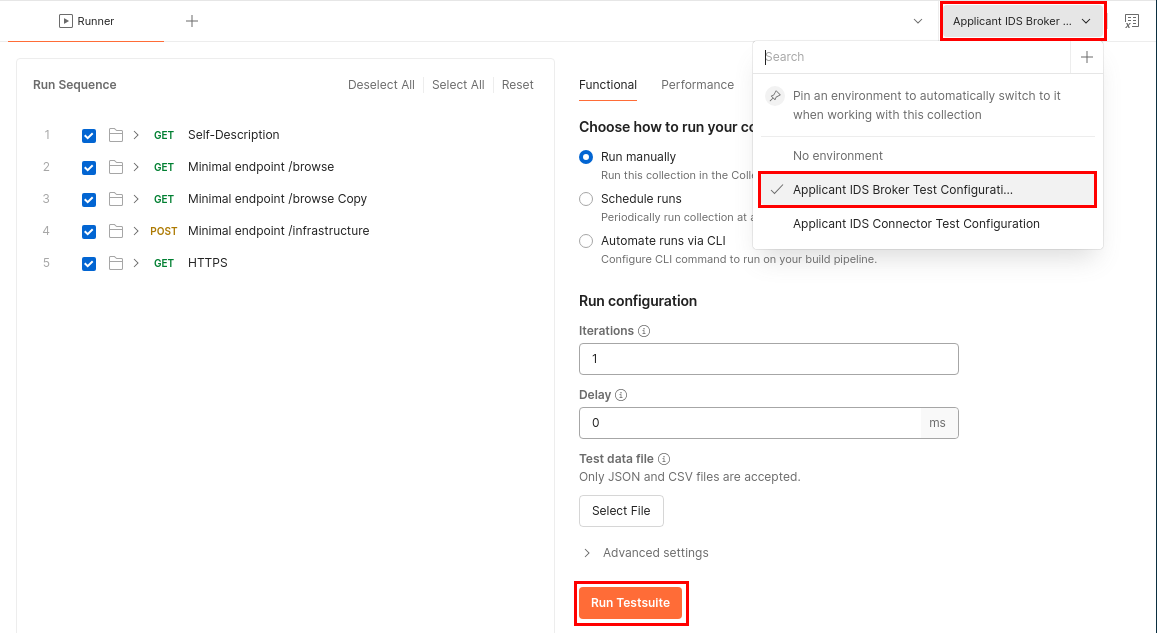
- Select Run Testsuite to start the test.
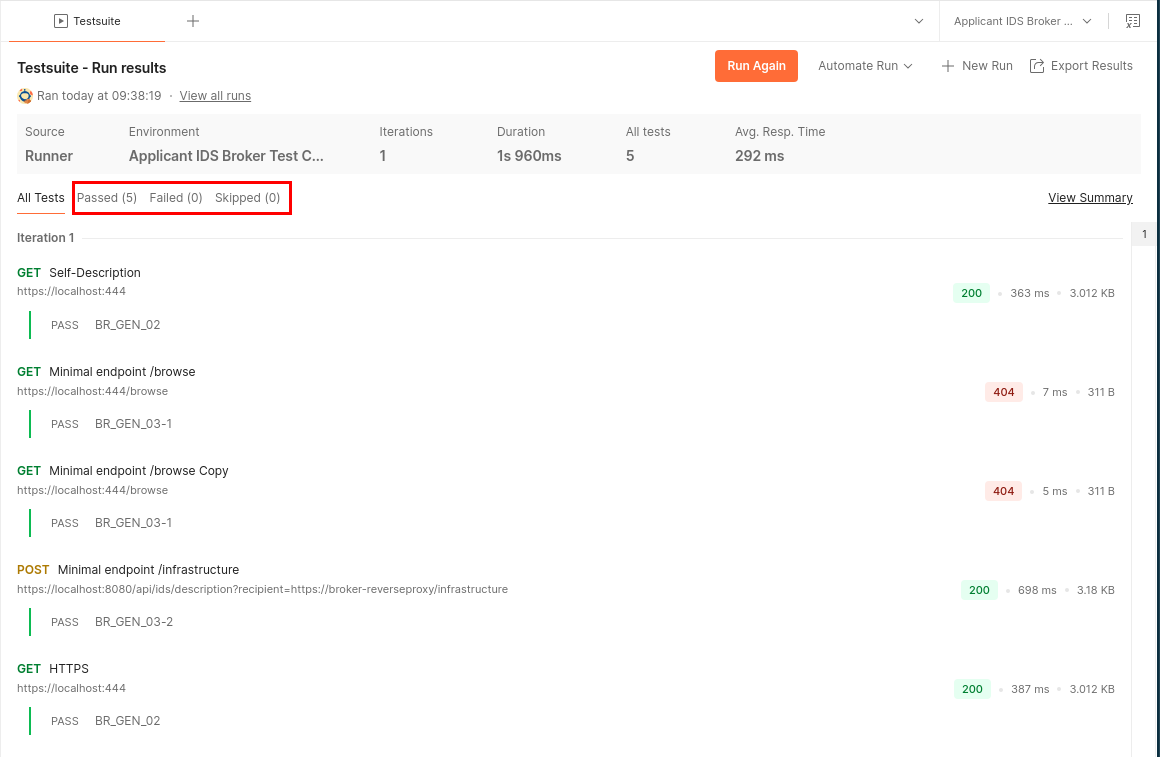
You will be presented with the following results, with Passed (5) and no Failed or Skipped tests.